Why Smirne?
Clean, Focused Editing
Syntax highlighting for C#, C and C++, Java, Python, JavaScript and TypeScript, HTML, CSS, XML, JSON, YAML and more. Line numbers, code folding, a ruler, visible whitespace and quick zoom help you read and write code comfortably. Fast find and replace, with match case and whole-word options, completes the set.
Workspaces for Every Project
Keep your projects apart. Each workspace remembers its own folders, open files, panel layout and settings. You can switch between them in a moment, duplicate them, rename them and choose which one opens at start-up.
Live File Watching
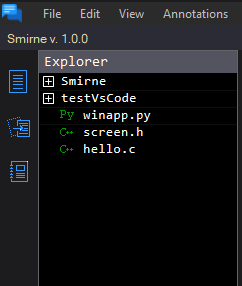
Your project folders are always in view: create, rename and delete files and folders without leaving the editor. Smirne watches what you have open, and if another program changes a file, it lets you know and asks what you would like to do.
Never Lose Your Work
Close Smirne and pick up exactly where you left off. Open files, cursor positions, folded blocks and even unsaved changes come back the next time you start it. Configuration files are saved with a backup copy, so an unexpected shutdown will not cost you your settings.
Notes Beside Your Code
Write down ideas, reminders and to-dos without switching application. Organise them into categories, track their status and due dates, and archive them once they are done.
Three Ways to Select Text
standard selection for continuous text, multiple selection with Ctrl to work on separate blocks at once, and column selection with Alt to edit rectangular areas such as aligned data or several lines of code in one go.
Themes
Make It Yours
Choose between light, dark, blue and green themes. Pick your font, tab size and line spacing, and show or hide the side and bottom panels. Smirne remembers the window size and position, so it looks the way you like every time you open it.